My work / Signal
A day in your workspace
Try five short tasks in Haya’s proposed recruiting workspace. We want to understand what is clear, what slows you down and what you expect to happen next.
The records are fictional. There are no right answers about the design. Say what you are looking for as you go, or note it afterward.
Open the pilot ↗Opens in another tab. Application actions explain the handoff to the full workflow; they do not change real candidate data.
Five tasks
Start with the populated screen. Work through one task at a time using the device settings you normally prefer. If you get stuck, note where and move on.
First impression
What does the screen tell you about the work in front of you? Where would you start, and what do you expect it to do?
Personal workload
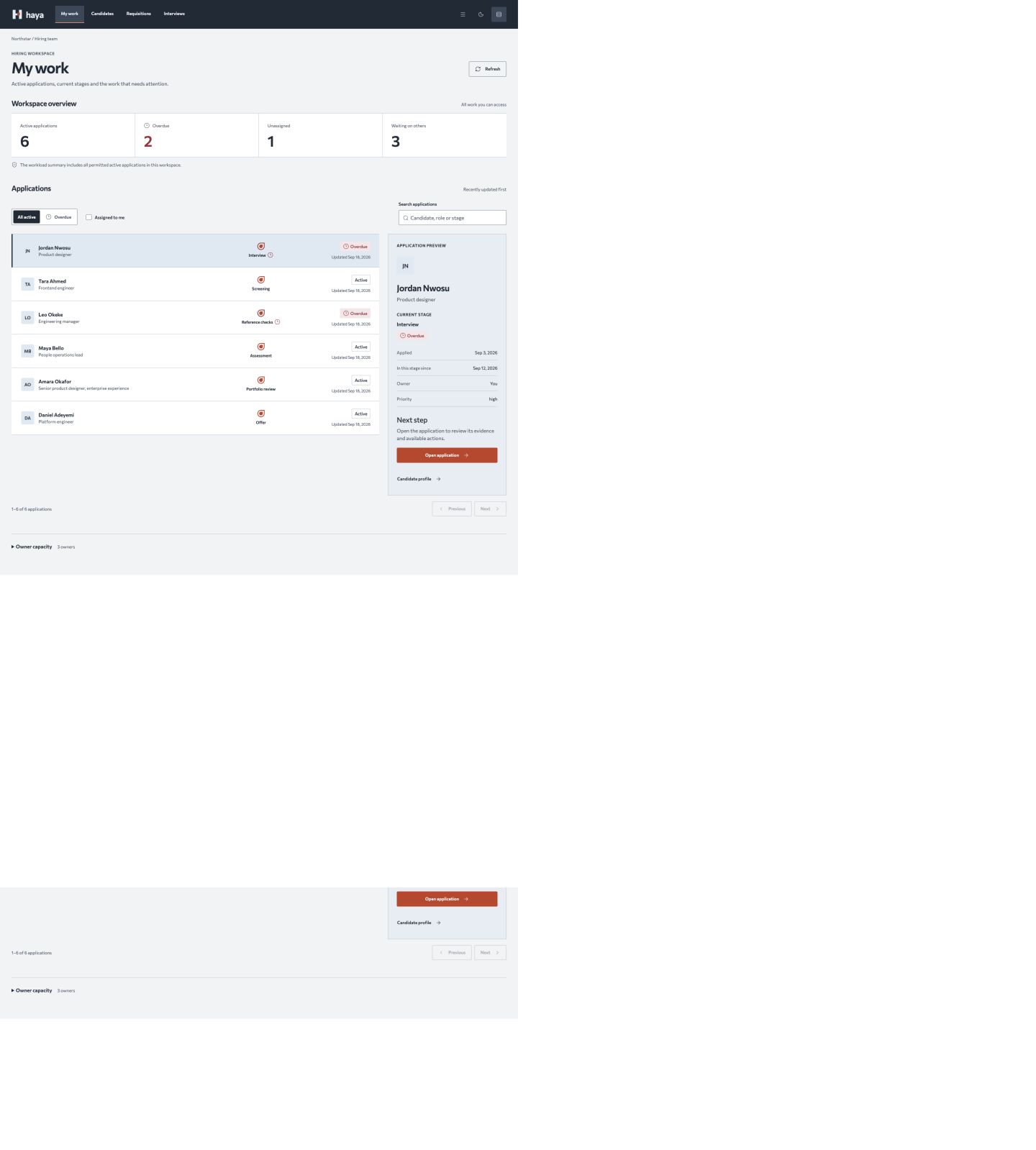
Find the overdue applications assigned to you. How many are there, and which candidate is involved? How do you know the result is correct?
Candidate context
Find Amara Okafor’s application. Identify her current stage, then open the place where you would continue working on it.
Phone use
On a phone, start with all six records and no search or filters. Find Tara Ahmed, inspect her application and open the next place you would work. If a phone is unavailable, mark this task skipped.
Comfort
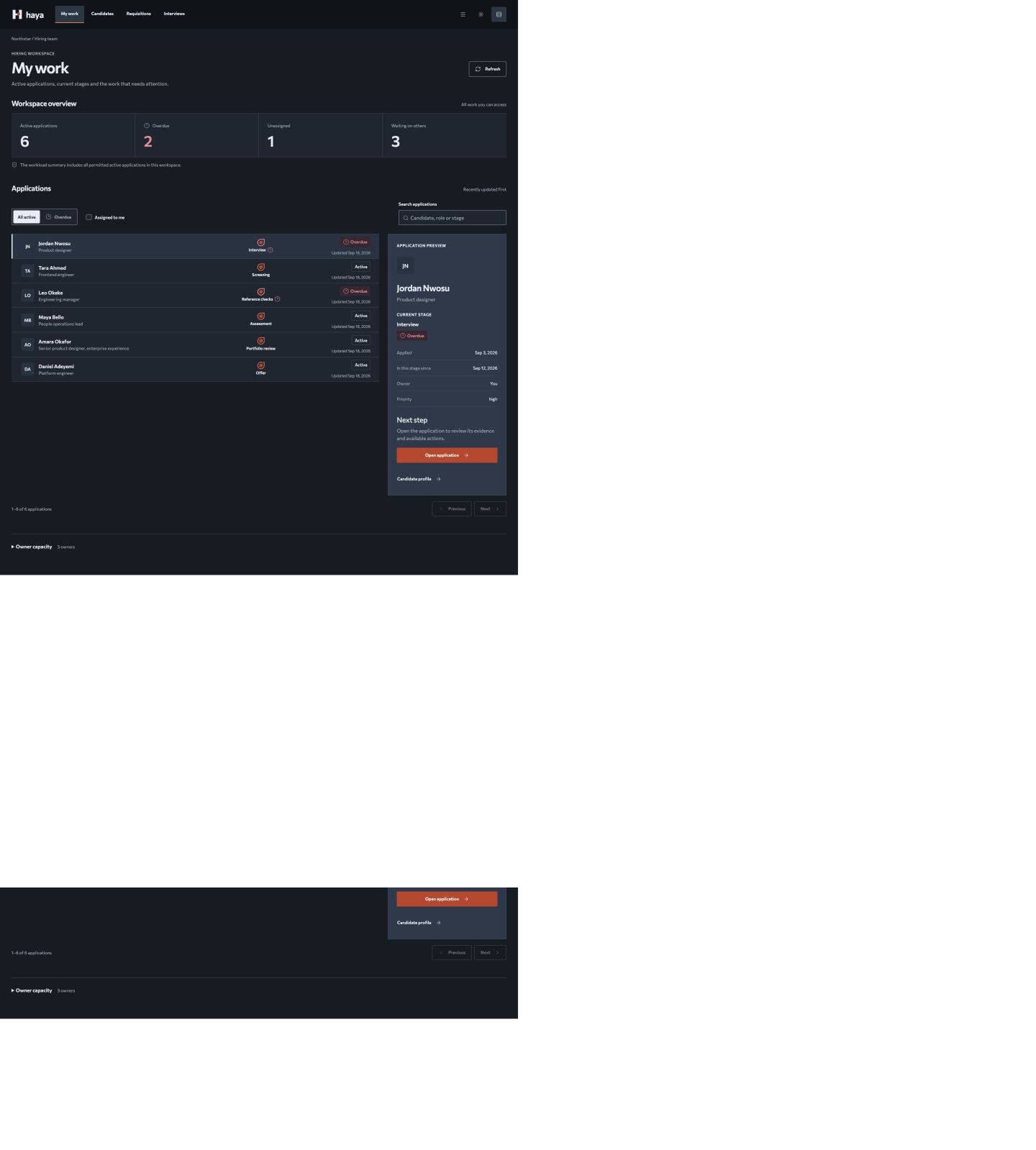
Choose the appearance and spacing you would use on a busy day. What becomes easier or harder?
Your observations
After each task, give it an ease score from 1 (very difficult) to 7 (very easy), and note any help you needed. Finish with one thing to keep and one thing to change.
What made you stop and think? What information was missing? Would anything become distracting or tiring in daily use?
Download the feedback templateSend your notes to the person who invited you. This page does not submit or save feedback.
Static screenshots
Use these if the interactive pilot cannot be opened. They support visual critique; mark interaction tasks as untested.